Fun Music
- 4.1
- Rating
- 100.00K
- Installs
- Free
- Price

 Analysis by App-foxy
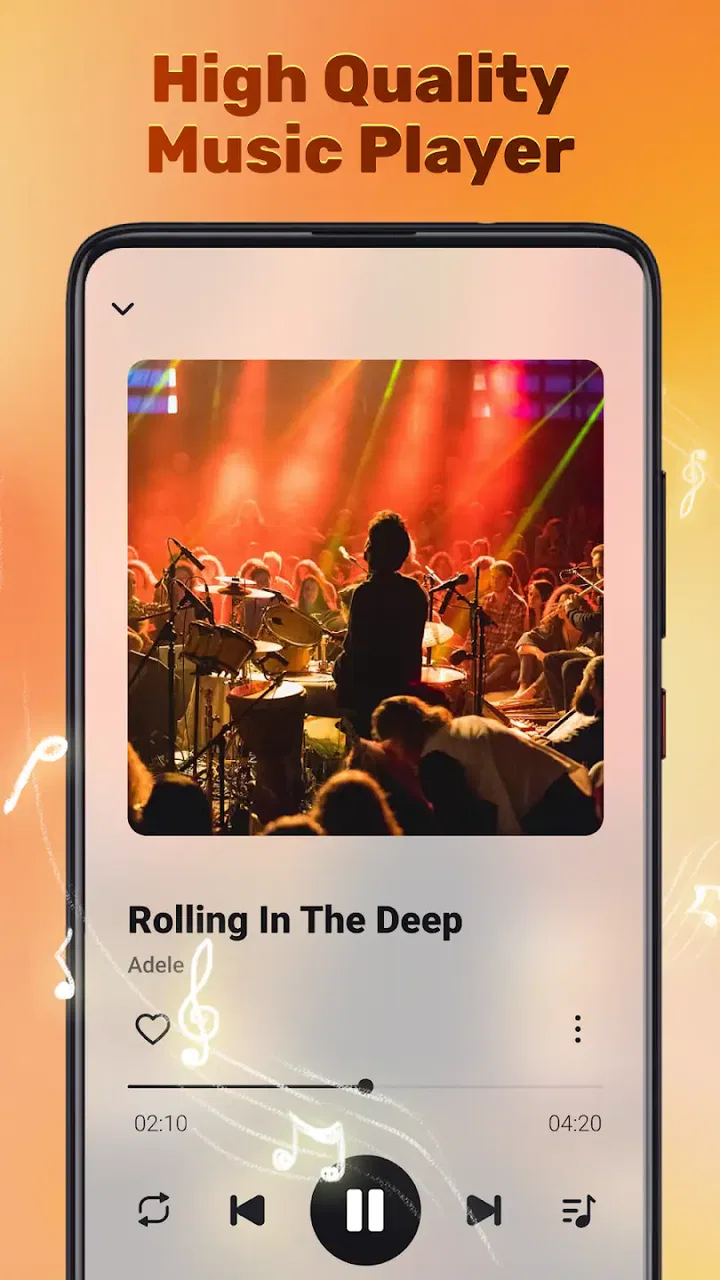
Fun Music is a free music and audio app from Lucky-Tech Limited that I found easiest to understand when treating it as a simple offline player rather than trying to make it replace every music service on my phone. Its main appeal is straightforward: once I have audio available on the device, I can use the app for listening without depending on a live connection. That makes it interesting for commutes, travel, weak-signal areas, and anyone who prefers keeping a personal collection close at hand.
The app is listed for Everyone, works on Android 7.0 and later, and currently appears as version 1.0.3. It has reached over 100 thousand installs, with a 4.1 average from more than 600 ratings and around 30 written reviews. Those figures suggest a modest but real audience rather than a heavily established platform. I would describe it as a practical utility for local listening, not as a destination for discovering a huge catalog or following a social music community.
Starting with a reliable offline listening routine
My recommended first step is to make Fun Music part of a repeatable routine instead of opening it only when something goes wrong. I would begin by checking that the audio I want is already stored on the phone, then open the app and spend a few minutes learning how it presents that collection. The important distinction is that the app’s offline value depends on local audio being available. It is not the same experience as opening a streaming service and searching a remote catalog.
You May Also Like

 AccuWeather: Weather Radar
AccuWeather Review: A Quick, Clear Forecast for Everyday Decisions
For everyday plans, the best forecast is the one you can understand quickly. AccuWeather makes rain timing, radar, and local conditions easy to act on, with a few trade-offs.

 Hill Climb Racing
Why Hill Climb Racing Still Turns Crashes Into One More Run
A tiny car, a bumpy hill and one more upgrade: Hill Climb Racing keeps resurfacing because its simple chaos makes every near-miss feel personal.

 AliExpress - Shopping App
AliExpress Makes Global Shopping Feel Personal, but Shoppers Bear the Risk
AliExpress turns a global marketplace into a pocket-sized discovery engine. Its reach is useful, its shopping loop compelling, and its trade-offs easy to miss.

 Lords Mobile: Kingdom Wars
Lords Mobile Is a Kingdom-Building Routine, Not a Quick Match
A case-by-case verdict on the building, battles, device demands, and social commitments that make Lords Mobile rewarding for some players and exhausting for others.

 PDF Scanner app - TapScanner
TapScanner Makes Paperwork Easier to Capture, Check, and Share
TapScanner makes scanning with a phone feel less like a rescue operation and more like a dependable step in getting work done. Its capture tools are useful, though not flawless.

 Block Blast!
 Shows How Much a Puzzle Game Can Leave Out
A quiet grid game shows why puzzle players increasingly value instant clarity, repeatable skill and low-pressure play—and where the genre still needs to catch up.
More From Our News Desk
View All News


This sounds obvious, but it changes how I would prepare for a journey. Before leaving home, I would select the albums, playlists, or individual tracks I expect to use and test them with connectivity disabled. That small check separates a genuinely ready offline library from a collection that only appeared usable because another service was quietly supplying the music. With Fun Music, the best habit is to confirm the listening path before I need it.
For a daily commute, I would keep the workflow deliberately simple: open the player, choose a familiar group of tracks, and let the app handle the session without repeatedly searching. This is where a lightweight music player can feel better than a larger service. There are fewer distractions, fewer recommendations competing for attention, and less temptation to keep browsing when I only wanted background audio.
It is also a useful option for a child or another family member who needs a small, controlled audio collection. The Everyone age rating makes the app approachable in that context, although the content itself still depends on what has been placed on the device. I would organize suitable audio beforehand and avoid assuming that an age rating automatically describes every song someone might access through a personal library.
The first practical limitation appears here too. If your normal listening depends on cloud libraries, podcasts that update constantly, or instant access to tracks you have not saved locally, Fun Music will feel narrower than a mainstream streaming app. I would choose it for dependable playback of available files, not for replacing a complete online music subscription.
What the everyday experience is best at
The strongest use case is a listener who already has audio on a phone and wants a focused way to play it. That could be music for a walk, language lessons during a train ride, downloaded recordings for a flight, or a personal set of albums used repeatedly. In these situations, the offline approach is more than a slogan: it reduces the number of things that can interrupt playback.
I especially like the idea of using it as a “known collection” player. Instead of asking the app to solve music discovery, I decide what belongs on the device and use Fun Music to access it. That division of responsibility makes the experience easier to manage. Discovery happens elsewhere, while listening stays local and predictable.
For a realistic example, imagine preparing for a long day away from home. I would gather a few albums, a workout selection, and some spoken audio, make sure they are stored locally, then open Fun Music before leaving. During the day, I could move between those listening groups without depending on mobile coverage. If the phone is low on storage, however, I would be selective rather than treating offline playback as a reason to keep every file available.
That storage trade-off is one experienced users should consider. Offline audio is convenient, but it turns library management into part of the job. A tidy collection with clear names and sensible folders is easier to use than a large, messy download pile. Fun Music can make local playback convenient, but it cannot make an unorganized personal archive feel organized by itself.
Settings and preparation that deserve attention
I would not spend a long time changing options before listening, but I would inspect the available playback and library settings carefully. The useful principle is to adjust only what supports your routine. If you usually listen in short sessions, a remembered playback position or a clear queue matters more than decorative customization. If you listen to complete albums, the way tracks are ordered becomes more important than having a large number of visual choices.
Because the app is intended for offline audio, I would also check how it behaves when the phone has no connection. Testing airplane mode is a practical habit, not a technical experiment. It tells me whether the local library is visible, whether playback starts normally, and whether anything in my routine depends on an online step. I prefer discovering those details at home rather than on a plane or in an underground station.
Another worthwhile check is the relationship between the app and the phone’s own audio controls. I would test the lock screen, notification controls, wired or wireless headphones, and the pause or resume button I use most often. These small interactions determine whether an audio player feels convenient over several hours. A player can have a clean library view and still be annoying if basic controls are awkward during a walk.
I would also listen at a moderate volume before making judgments about sound quality. Fun Music is primarily a playback tool, and the result will depend heavily on the source files, the phone, and the headphones. It would be unfair to expect the app alone to transform a low-quality recording into a detailed one. Conversely, a good local file can make the experience perfectly satisfying without demanding a complicated audio setup.
One useful preparation trick is to create a small “fallback” selection rather than relying on one enormous queue. I would keep a compact group of dependable tracks for situations where I need immediate playback, then maintain larger collections for longer sessions. This reduces the time spent navigating and makes the app feel faster even when the library itself is substantial.
Faster patterns for people who listen often
After the first few sessions, I would look for actions that can be repeated with fewer taps. The most valuable shortcut is often not a special feature but a better starting point. If I know I will listen to the same group of tracks during exercise, I would leave that group easy to find rather than rebuilding a queue every time. If I use the app for study, I would separate spoken material from music so that the next session begins with the right kind of audio.
This is where naming and organization become surprisingly important. Consistent album and artist information makes a local player easier to scan. When files have inconsistent names, I spend time correcting my own library instead of enjoying the app. Fun Music is therefore a good match for someone willing to perform a little housekeeping. It is less appealing to anyone who expects the player to clean up every piece of metadata automatically.
I would also avoid changing playback behavior constantly. Pick a normal pattern for ordinary listening, a repeat pattern for focused practice, and a shuffled pattern for a broad personal mix. Switching modes without checking them can produce small but frustrating surprises, especially when a session ends and the app continues with a different part of the collection than expected.
For spoken audio, I would use shorter, clearly identified groups rather than mixing recordings into a music queue. That makes it easier to return to the right material and reduces the chance of an unexpected song interrupting a lesson. The same idea works for meditation tracks, field recordings, or any audio where sequence matters more than variety.
Another experienced-user habit is to review the queue before starting a long session. I would check the first few items, confirm that the order makes sense, and remove anything that does not fit the occasion. This takes only a moment but avoids the common problem of discovering halfway through a workout that the player is about to switch into an unwanted collection.
These habits are not glamorous, yet they are exactly what makes an offline player dependable. Fun Music works best when I give it a clear library and a clear purpose. The less I ask it to improvise, the more consistent the experience becomes.
Where it falls short compared with streaming alternatives
The comparison with streaming services is unavoidable. A typical streaming app is stronger for discovery, new releases, curated recommendations, synchronized libraries, and listening across several devices. It is usually the better choice for someone who wants to search for almost anything immediately. Fun Music takes the opposite position: it is centered on audio already available locally and keeps the listening experience closer to a personal player.
That difference is not automatically a disadvantage. Streaming introduces account management, connection dependence, changing catalogs, and a constant flow of suggestions. An offline player can feel calmer and more private in everyday use. On the other hand, local playback requires more responsibility from me. I have to obtain or transfer my audio legally, keep files organized, and make sure the phone has enough space.
I would also be cautious about choosing Fun Music if synchronized progress is essential. Someone who moves from a phone to a tablet and expects every position, queue, and collection to follow them may be happier with a mature cloud-based service. The same applies to listeners who rely on podcasts, radio stations, lyrics services, or collaborative playlists as central parts of their routine.
For an older Android phone, the minimum requirement of Android 7.0 or later is helpful because it leaves the app open to devices that are not recent. Still, compatibility alone does not guarantee that every phone will feel equally smooth. Available storage, the size of the local library, background behavior, and the phone’s audio controls can all shape the result. I would judge it on the device I plan to use rather than assuming that a supported operating system means an identical experience everywhere.
Advanced limits worth understanding before committing
The app’s simplicity is both its attraction and its boundary. I would not choose it expecting a full music-management ecosystem. Its value comes from playing local audio in a focused way, so people who need extensive cloud features, large-scale catalog search, or elaborate social tools should look elsewhere.
There is also a difference between offline playback and offline discovery. Fun Music can be useful once my collection is prepared, but it does not solve the question of what I should listen to next in the way recommendation-driven services do. If I enjoy being surprised by new artists, I would probably use another service for discovery and reserve Fun Music for selected offline listening.
Library quality matters more than many first-time users expect. Duplicate files, vague titles, and mixed versions of the same track can make any local player feel confusing. My advice is to fix the most-used part of the collection first instead of attempting a complete archive cleanup. A small, well-labeled library will usually provide a better first impression than a huge collection that is difficult to browse.
I would also keep expectations realistic about convenience. A free app can be attractive because there is no purchase decision standing between installation and testing. That makes Fun Music easy to try, but “free” does not remove the time cost of preparing audio or maintaining the collection. For some listeners, that preparation is worthwhile; for others, paying for a service that handles the catalog and synchronization is the more efficient choice.
My practical test would be simple: choose one commute, one offline trip, and one longer listening session. Use the app in each situation and notice whether the local workflow feels easier than the alternative. If I spend most of the time searching for files, correcting organization, or wishing for online access, the app is probably not the right main player. If I start playback quickly and enjoy not depending on a connection, its focused design is doing exactly what I need.
My verdict after building a repeatable habit
Fun Music is most convincing when I use it as a straightforward offline audio companion. It is free, accessible to a broad audience, and developed by Lucky-Tech Limited as a focused music and audio app rather than an all-purpose entertainment platform. The current version, 1.0.3, gives Android users on version 7.0 or newer a chance to test that approach without making it part of a larger subscription commitment.
I would recommend it to people with a personal collection who want uncomplicated playback during travel, exercise, study, or unreliable connectivity. I would also recommend it to listeners who prefer choosing their audio in advance and avoiding the constant recommendations found in larger services. The best results come from a few repeatable habits: prepare files before leaving, test the library offline, keep names organized, check the queue, and separate different kinds of audio.
I would skip it as my primary music app if discovery, cloud synchronization, regularly updated online content, or cross-device continuity is central to the way I listen. In those cases, a conventional streaming platform will probably save time and offer more depth. Fun Music is not competing on the size of an online catalog; it is useful because it keeps local listening direct.
My final impression is positive but deliberately measured. This is a practical tool, not a complete replacement for every music service. Once I accept that boundary, its strengths become clearer: preparation pays off, offline playback can be dependable, and a well-organized collection stays pleasantly free from distractions. If your ideal music session starts with audio you already own and ends without needing a connection, Fun Music is worth trying.
FAQs for Fun Music
01What is Fun Music, and how does it work?
Fun Music is an interactive music app designed to enhance your listening experience by offering a variety of modes, including karaoke, playlist creation, and social sharing features. Once downloaded, users can explore a vast library of songs, participate in challenges, and connect with friends to share their musical achievements. The app is intuitive and user-friendly, ensuring a seamless experience for music lovers.
02Is Fun Music free to download and use?
Fun Music is free to download and offers a range of features at no cost. However, it also includes in-app purchases and subscription options for users who wish to access premium content, such as exclusive tracks, ad-free listening, and enhanced sharing functionalities. These options provide a more enriched experience for avid users.
03What platforms are supported by Fun Music?
Fun Music is available for both Android and iOS devices, making it accessible to a wide audience. The app is optimized for smartphones and tablets, ensuring that users can enjoy their music on the go. Regular updates are provided to support the latest operating systems and enhance app performance across all platforms.
04Does Fun Music require an internet connection?
While Fun Music can be used offline for certain features like listening to previously downloaded tracks, most functionalities, such as streaming new songs, participating in real-time challenges, and social sharing, require an internet connection. Users should ensure they have a stable connection to take full advantage of all the app's features.
05How does Fun Music handle user privacy and data security?
Fun Music prioritizes user privacy by implementing robust security measures. The app requires account creation to personalize the experience, but it strictly adheres to privacy policies, ensuring user data is encrypted and not shared with third parties without consent. Regular updates are made to enhance security protocols and protect user information.
Pros
- Easy-to-use interface enhances user experience.
- Wide selection of songs across various genres.
- Regular updates with new features and tracks.
- Offline mode available for uninterrupted listening.
- Customizable playlists for personalized sessions.
Cons
- In-app ads can be intrusive during use.
- Free version has limited skips per hour.
- Some features require a premium subscription.
- Occasional app crashes on older devices.
- Large app size may affect storage capacity.

Fun Music
Gallery